🏰 Auditing Active Directory with PingCastle
PingCastle, developed by Vincent Le Toux, is a lightweight yet powerful tool for auditing Active Directory (AD). Now owned by Netwrix, PingCastle continues to offer its powerful community version for free, ensuring accessible Active Directory security for all.

In this post, I’ll walk you through the free version in action, using a virtual AD setup with a Windows Server 2012 R2 domain controller and a test domain: mickgb.ovh, running in a VirtualBox environment.
🔗 Official site: https://www.pingcastle.com
⚙️ Running PingCastle
Once you’ve downloaded PingCastle, open a terminal window in the folder and run the executable using the following syntax to perform a health check:
PingCastle.exe --healthcheck --server mydomain.com
You can run this directly on a domain controller or from any workstation joined to the domain you’re testing.
📊 Understanding the Report
PingCastle’s real strength lies in its comprehensive HTML report, offering a high-level and technical overview of areas where you can improve your AD hygiene.
Indicators
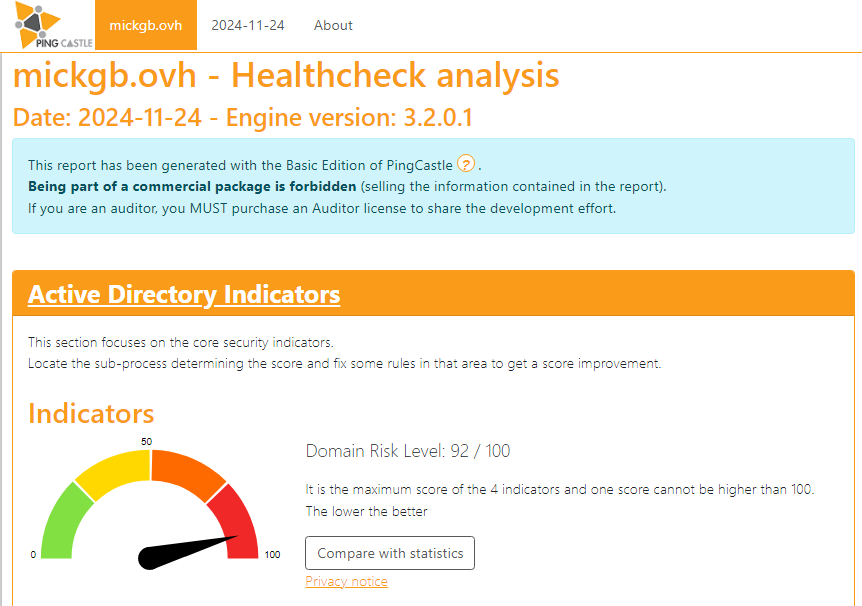
The overall domain risk score reflects the highest value among four key risk indicators:
- Stale Objects
- Privileged Accounts
- Trusts
- Anomalies
A score of 100 indicates maximum risk.
📈 Overview of Results
Each risk category is visualised as a dial chart or “riskometer”, with a score between 0 and 100 based on the number and severity of issues found.
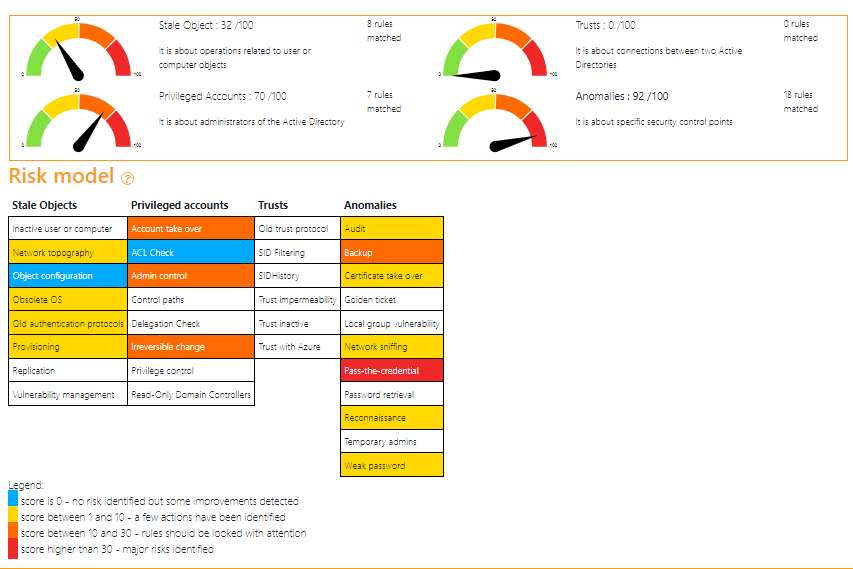
The Risk Model functions like a heatmap, showing where risk has accumulated. In my test run, the most critical risk identified was a pass-the-credential attack — likely referring to pass-the-hash or Kerberos ticket-based attacks.
🗃️ Stale Objects
This section highlights old accounts and outdated configurations that increase attack surface — such as:
- Inactive users and computers
- Deprecated services or protocols
- Outdated operating systems (e.g. still running Server 2012)
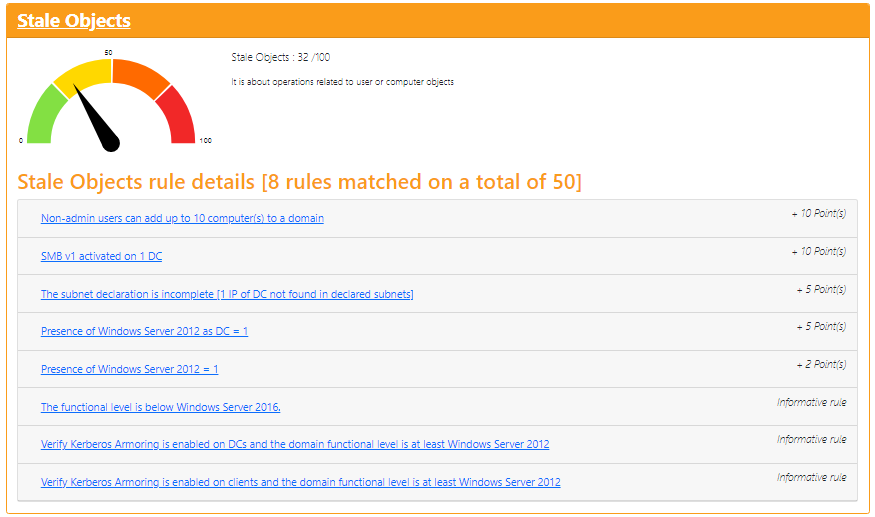
Depending on the age of your domain and whether you’ve performed recent cleanup, this section can be quite busy.
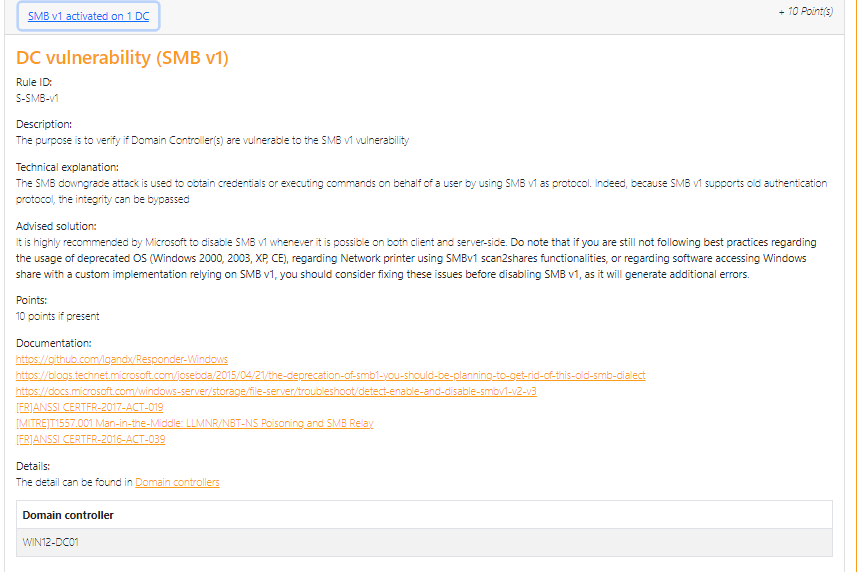
One of PingCastle’s strongest features is how it explains each issue in detail, why it matters, and how to fix it — including actionable remediation steps. This makes the tool not only diagnostic but also educational.
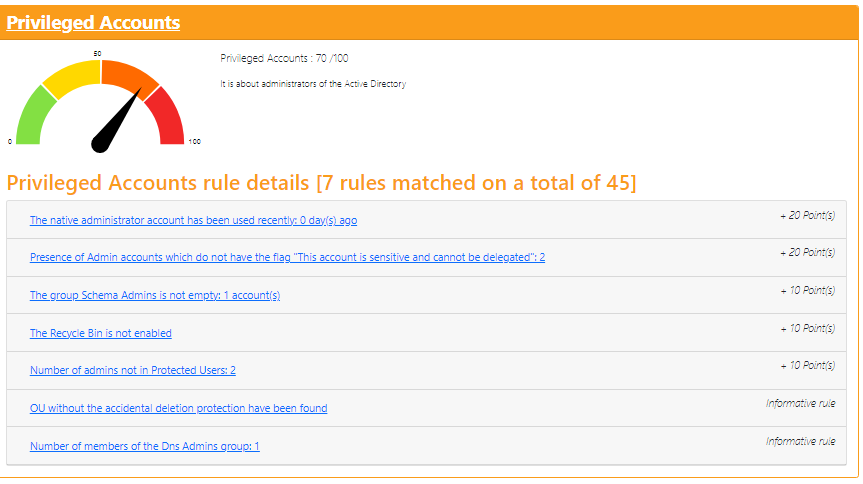
🔐 Privileged Accounts
This section focuses on:
- Administrator accounts
- Cases where non-admin users have been granted excessive rights
- Inheritance and group nesting issues in privileged AD groups (like
Server Operators,Account Operators)
This has been especially helpful in teaching me how built-in AD groups work and in identifying over-privileged accounts that need review and clean-up.
🔗 Trusts
In real-world environments, PingCastle can identify:
- Stale or misconfigured domain trusts
- Cross-domain scheduled tasks
- Unnecessary external trust relationships
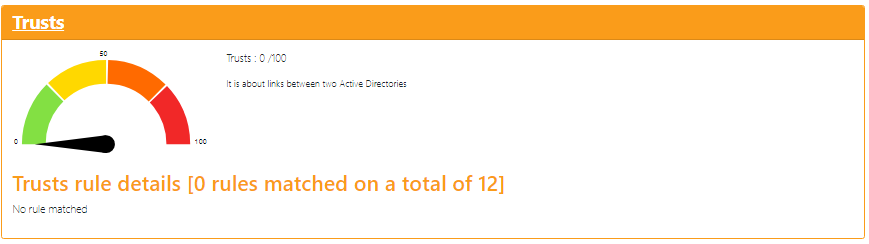
In my lab, this section didn’t surface anything major — but in a larger organisation, this is where you may uncover inherited risk or legacy inter-domain dependencies.
⚠️ Anomalies
The Anomalies section captures misconfigurations and missing security features. For example:
- Lack of Local Administrator Password Solution (LAPS)
- Weak password policies
- Long-lived Kerberos Ticket Granting Ticket accounts (krbtgt)
One key callout was the Golden Ticket risk. While this can’t be fully prevented, PingCastle correctly flags that rotating the krbtgt account password regularly invalidates forged tickets, limiting long-term access in a post-exploitation scenario.

✅ Pros
- Ease of Use: No install required. Just download and run from command line.
- In-Depth Analysis: Detects issues across privilege, hygiene, and domain architecture.
- Comprehensive Reports: Visual risk scoring, remediation steps, and group breakdowns included.
❌ Cons
- Paywall for Advanced Features: Some features require a paid licence — but the free version is still highly capable.
- Limited Entra ID (Azure AD) Support: It can detect hybrid identity links but doesn’t deeply audit cloud-native security risks.
- Occasional Vague Remediation Tips: Some advice may lack technical depth, requiring follow-up research.
🧾 Conclusion
PingCastle is a fantastic tool for anyone responsible for Active Directory security — whether you’re a seasoned security engineer or just starting to audit your environment.
Its lightweight nature, powerful reports, and actionable insights make it one of the most accessible AD auditing tools available today. Even in the free version, you’ll walk away with a clear understanding of your domain’s weak points and how to address them.
It’s rare to find a tool that is both easy to use and deeply informative, but PingCastle delivers exactly that.
If you’re serious about securing your Active Directory, you owe it to yourself to run PingCastle.